UlasanAnime.com – The Saimoe voting process, while a popular event for anime fans, can be notoriously complex. This guide aims to demystify the steps involved in casting your vote for the Saimoe 2007 event, ensuring your favorite characters get the recognition they deserve.
For those unfamiliar, Saimoe is a significant anime character popularity contest. Its voting mechanism, however, can be a hurdle for many. This guide, inspired by the detailed explanations found on the Animesuki forums, provides a step-by-step walkthrough to help you navigate the process.
Voting in Saimoe 2007
Serving Size: 1 per day
Prepare time: up to 2 hours
Cooking time: 5-20 minutes
Prepare:
The first crucial step is to ensure you have a stable internet connection available for at least two hours, timed according to Japan Standard Time (JST). Saimoe voting takes place on 2ch, a Japanese forum, and operates on JST (UTC+9). This time difference can be substantial depending on your location, so careful planning is essential to avoid missing the voting window.
It is also vital that your web browser can properly display Japanese characters. This is necessary for accurately copying and pasting information from Japanese websites. If your system doesn’t support it, you may need to install an East Asian language pack, often available on your Windows installation CD or online. Additionally, familiarize yourself with your browser’s encoding settings to switch to Japanese (Shift_JIS) when needed.
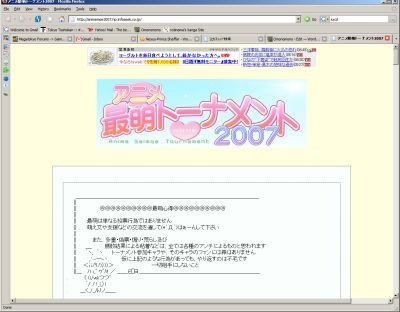
Bookmark the official Saimoe 2007 homepage: http://animemoe2007.hp.infoseek.co.jp/. This site serves as the central hub for all necessary links. While the site provides most of what you need, navigating 2ch itself can sometimes be challenging. Once the homepage is loaded, ensure the Japanese text is displayed correctly. If not, adjust your browser’s encoding to Japanese/Shift_JIS.
The next critical task is generating your vote code. This unique code, a string of letters and numbers, identifies your IP address and is essential for your vote to be counted. It’s important to note that your vote code is separate from your IP address when you actually post your vote on 2ch.
To generate your vote code, navigate to the English link on the Saimoe homepage, then click on the “vote code issue site” link. You can also find a full voting calendar on the homepage to plan your voting sessions. Upon clicking the link, you will be directed to a page that looks like this:
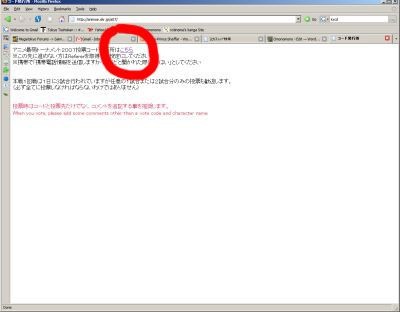
On this page, locate and click the small link at the top, which will lead you to a page displaying something similar to this:
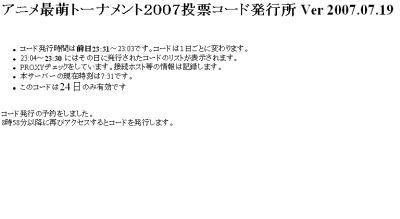
If successful, the bottom of this page will show a specific time in 24-hour format (in Japanese characters for hour and minute). This is the precise time, in JST, when you need to return to this page to obtain your vote code. The page also indicates the valid window for code generation (e.g., 23:31 the previous day to 23:03 of the current day) and a period when the system is counting votes and no codes are issued (23:04-23:30). By refreshing the page when the current time matches the specified time, you will receive your code. You can also close the page and return at the designated time.
If you encounter an error, first verify you are attempting this during the correct hours, avoiding the system’s counting period (approximately 22:53 to 23:31 JST). If the timing is correct, the issue might be with your IP address. Some IPs are banned across entire domains, or your system might be flagged as an open proxy. Ensure your computer is patched and free of malware.
The final preparation step is to decide who you want to vote for. Resources like Danbooru ([http://miezaru.donmai.us/](http://miezaru.donmai.us/)) offer images that can help identify characters, sometimes with English explanations. You’ll need to do some basic Japanese deciphering or find an English listing with corresponding dates. Once you’ve identified your chosen characters, find their official names in the 2ch-approved format on the Japanese Saimoe HP. Access this by opening the main page again and clicking the first link from the top. This will lead to a page with four links; select the top-left one to see the day’s matchups. Keep this page open in a separate tab or window for easy copy-pasting, ensuring the encoding is set correctly.
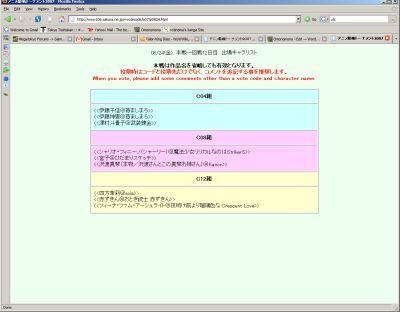
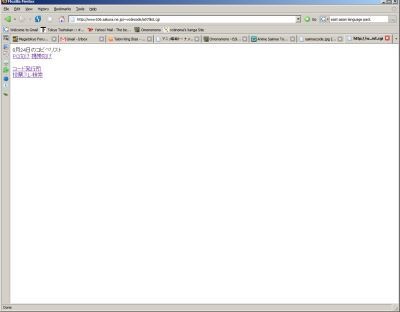
PROTIP: For a more streamlined experience, many users directly access [http://www106.sakura.ne.jp/~votecode/a07/list.cgi](http://www106.sakura.ne.jp/~votecode/a07/list.cgi), which consolidates key links. The top two links provide character lists (the second is for mobile users), the next link leads to the code generation page, and the bottom link takes you directly to the relevant 2ch thread.
Now, you wait for the designated voting time.
Cooking:
When the time comes, refresh the vote code generation page or revisit it. If you have waited long enough, the page should now display your vote code, similar to this (excluding any red markings):
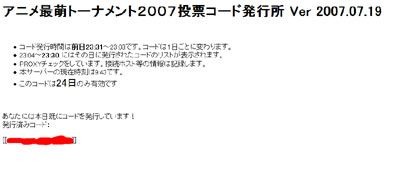
If not, the page will indicate the current time in Japan and the time you should return. Keep this page open or save your code. Simultaneously, have another browser window ready with the Japanese character names you intend to vote for.
Return to the page with the four links:
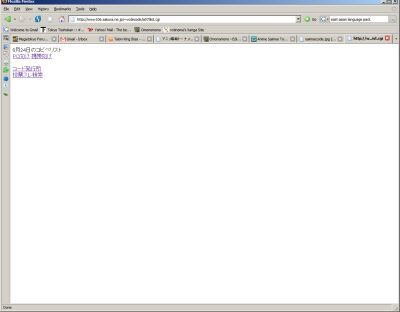
Click on the last link. This will open a search on 2ch, displaying threads where voting is taking place. Each thread has a limit of 1001 posts. It’s best to vote in the most recently opened thread, usually the top one or two, to ensure your vote is registered. Threads nearing capacity should be avoided.
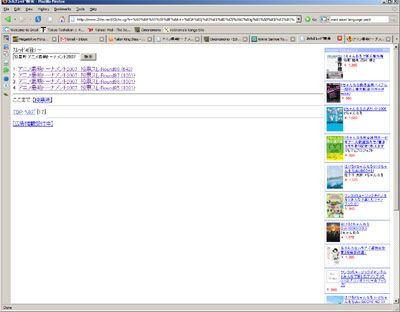
Click on the appropriate link to enter an authentic 2ch voting thread. Ensure your browser’s encoding is set to Japanese Shift_JIS and scroll down to the text box.
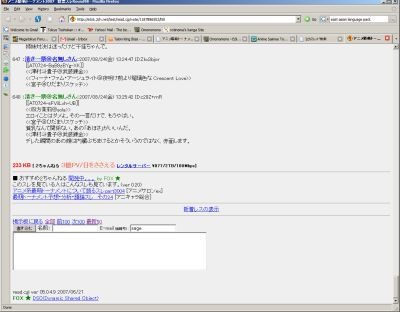
Copy and paste the names of the characters you wish to vote for from your prepared list into the text box, each on a separate line. For example, in Round 1, you can vote for three characters, one for each bracket. The character names typically begin with ”
After pasting your character choices, copy and paste your vote code (the [[blah blah]] string) on its own line. The order of these entries does not matter, as long as each is on a separate line. You can leave the E-mail and Name boxes blank, although some users input “sage” in the email field. You may also add comments related to the characters or Saimoe, but adhere to the site’s rules regarding respectful posting.
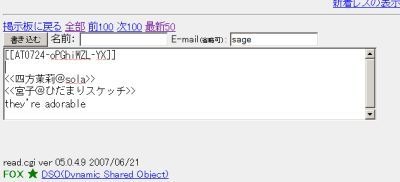
Once your post is ready, click the submission button located to the upper left of the text box. This will direct you to a confirmation page. However, some users, like the author of this guide, may find themselves on a blacklist, rendering them unable to post directly to 2ch.
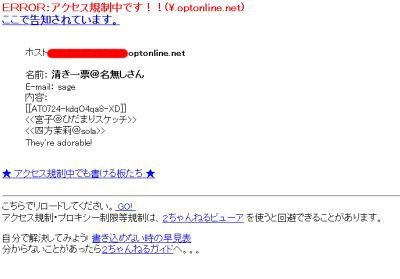
If you are not banned, click the confirmation button again on the confirmation page to finalize your vote. If you do not encounter a “banned” page, your vote is successfully cast.
If you experience the same issue of being banned or are otherwise unable to post on 2ch, here are a few alternative solutions:
1. Ask a trusted friend to vote for you. You would need to share your vote code with them. It’s generally believed that this won’t compromise their own votes, provided they use their own vote code. Further confirmation on this aspect might be beneficial.
2. Utilize a proxy server. 2ch is adept at detecting and blocking most proxies. Finding a working proxy may require trial and error. The Animesuki thread ([http://forums.animesuki.com/showthread.php?t=52366](http://forums.animesuki.com/showthread.php?t=52366)) often contains discussions and links to proxy listings and usage guides.
3. Obtain a new IP address or switch to a different Internet Service Provider (ISP).
You might also be interested in : Shingu: The Secret of the Stellar Wars – Grandiose Yet Uninspired
These instructions, along with the supplementary resources like the Animesuki thread which often includes annotated screenshots, are designed to make the Saimoe voting process less intimidating. While it can be straightforward once understood, being banned can present a significant challenge. It is suspected that many American IP addresses may be banned due to past online activities.